NITRAX MATH TOOLS
Nitrax Math Tools
Practical tools for writing, formatting, and working with math faster.
Try Nitrax key combinations, build formatted equations, and move mathematical notation between the apps you already use.
Available now
Each tool is ready to use. Choose an action button to open it.
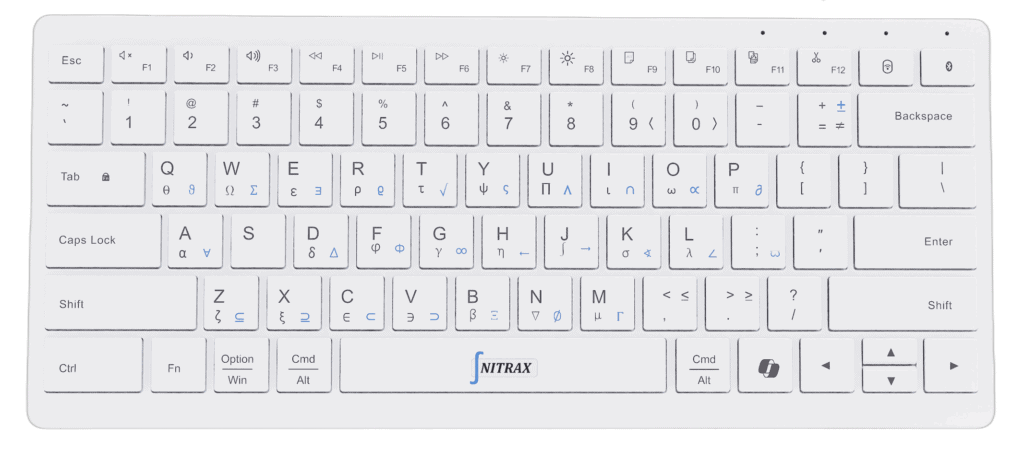
Physical Math Keyboard Demo
Test the Nitrax key combinations directly in your browser. Press a key combination and watch mathematical symbols appear instantly.
Available now
Visual Equation Editor
Insert mathematical symbols, build formatted equations, and copy the result wherever you need it.
Available now
Math Format Converter
Convert equations between LaTeX, Unicode Math, AsciiMath, MathML, and Word Equation notation with live previews.
Available now
Math Symbols Chrome Extension
Type mathematical, Greek, and scientific symbols in supported browser text fields with the printed blue and gray layers of the physical Nitrax Mathematical Keyboard.
Available now
Nitrax Math Bridge
Detect equations displayed with KaTeX, MathJax, or MathML and copy or export them in the format your next document needs.
In development
Ideas under consideration. These tools are not available yet.
In development
Google Docs, Slides & Forms Equation Tool
Insert and edit equations in Google Workspace, convert common math formats, and support teaching workflows such as quizzes and numbered equations.
In development
Visual Equation Editor for Obsidian
Edit LaTeX visually, convert selected notation, insert equations copied from AI tools, and keep reusable math snippets inside Obsidian.
In development
Math Add-in for Word & PowerPoint
Insert symbols and editable equations, convert LaTeX, Unicode, Typst, or MathML, and reuse favorite equations in Microsoft Office.
What should we build next?
Tell us which mathematical writing task slows you down most.
PHYSICAL PRODUCT
Prefer to type math directly?
Nitrax Mathematical Keyboard is a physical keyboard with mathematical, Greek, and scientific symbols printed on the keys. It is built for direct input inside Word, Google Docs, PowerPoint, notes, and other everyday applications.