Nitrax Equation Editor
Autosaved locally
Loading the equation editor…
Recent equations saved on this device
Browse known equations, save favorites and insert them into the editor
Build equations here, then keep typing math in your everyday apps.
Write equations here. Type math everywhere.
Build formatted equations and copy them wherever you need them.
Use the physical Nitrax keyboard to type math symbols directly in your everyday apps.
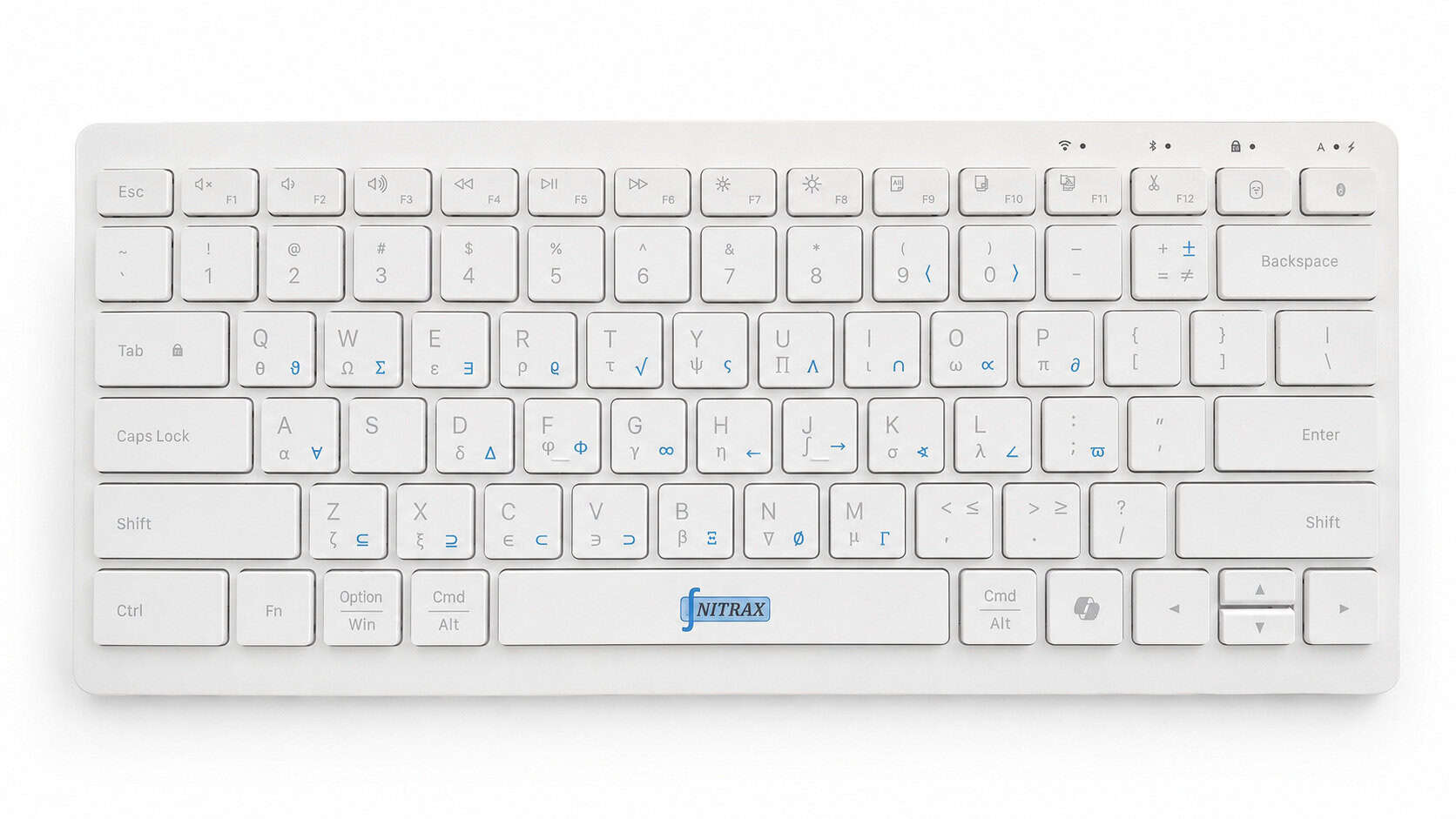
Try the Nitrax shortcuts
Open the interactive demo and test the Nitrax Mathematical Keyboard typing flow before using the physical keyboard.
Explore Nitrax Math Tools
Find the published Nitrax tools for building, translating and typing mathematical content faster.
Equation history
Saved equations from this browser only.
Confirm action
Check this equation first
Write equations here. Type math everywhere.
Nitrax Equation Editor helps you build and copy equations in the browser. Nitrax Mathematical Keyboard is the compact physical keyboard for typing printed math symbols directly in everyday writing applications.
How to use Nitrax Equation Editor
- Type directly in the equation field or choose a symbol category.
- Select symbols and visual structures to insert them at the current cursor position.
- Move through structure placeholders with Tab or arrow keys, then copy or export the finished equation.
Unicode symbols and formatted equations
Unicode characters work well for compact notation. Visual structures add stacked fractions, bounded integrals, custom matrices and systems while keeping the expression editable.
Copying formulas into Word
Copy the LaTeX, open an equation field in Word with Alt + =, and paste it into a Word version that accepts LaTeX equation input. SVG and PNG are available when you need a fixed visual result.
Using formulas in Google Docs
Use Google Docs’ equation controls for supported commands, or insert the exported PNG when the exact visual layout matters.
Privacy by design
No account is required. Unfinished equations, favorites and history stay in local browser storage. Equation content and search terms are not sent to analytics.
Frequently asked questions
Do I need an account?
No. The editor works without an account and saves unfinished work locally on the current device.
Can it build real fractions and matrices?
Yes. The same editor accepts ordinary symbols and editable structures including fractions, roots, integrals, matrices, determinants, systems and piecewise functions.
What is the best copy format?
Use plain text for a readable copy, LaTeX for compatible equation fields and publishing systems, MathML for systems that accept mathematical markup, and the export menu when you need an SVG, PNG, JPEG, WebP or PDF file.
Does the editor solve equations?
No. It is a writing and formatting tool. It does not calculate answers or solve mathematical problems.
Related Nitrax tools