Typst Still Makes You Write a Document Language. Nitrax Lets You Type the Math.
Typst can make clean documents, but it still asks you to move into a typesetting workflow. Nitrax Mathematical Keyboard solves the faster, more immediate problem: typing math symbols where you are already working.
When you are taking notes, preparing a slide, writing in Word, filling a Google Doc, or answering a student, you usually do not need another document language. You need the symbol now.
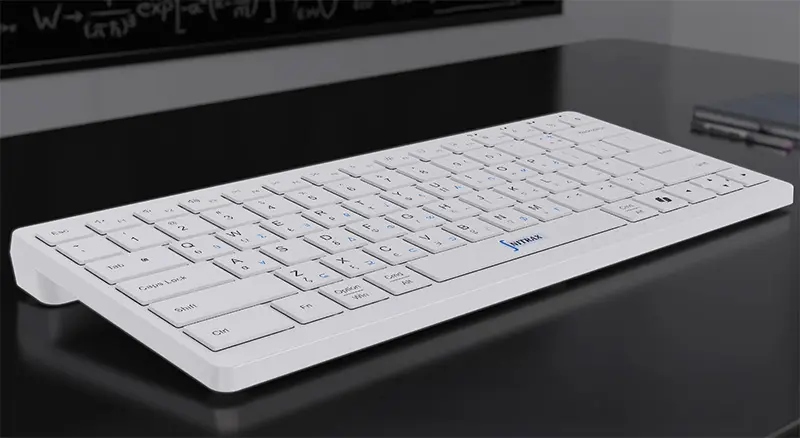
Nitrax Mathematical Keyboard puts common math symbols on physical keys, so math input becomes closer to typing and less like translating your thought into markup.
Typst is still a typesetting workflow
Typst is built for document output. That is useful when the goal is a polished file, but it is not the same as fast math input.
For quick notes and everyday documents, moving into Typst can be unnecessary overhead.
- T
Modern typesettingGood for polished technical documents, reports, handouts, and PDFs.
- S
Cleaner syntaxCompared with LaTeX, Typst is designed to be easier to read and write.
The problem: it is still not direct typing
Typst is simpler than LaTeX for many people, but it still asks you to write in a markup language with math syntax, modes, functions, and document structure.
That is the core issue: when you only need to capture math quickly in a normal writing app, Typst is extra machinery.
- M
Markup modeYou still switch from direct writing into a document language instead of just typing the symbol you need.
- E
Environment switchReal student and teacher work often lives in Word, Google Docs, slides, or notes rather than a Typst project.
- Y
Young ecosystemTypst is promising, but its ecosystem and template coverage are still younger than LaTeX.
A fair comparison
The right question is not which tool is best for every situation. The useful question is what kind of math writing you are doing right now.
| Use case | Typst | Nitrax Mathematical Keyboard |
|---|---|---|
| Polished technical document | Strong fit. | Not a typesetting system. |
| Fast class notes | Possible, but you are still writing syntax while trying to think through the math. | Type common symbols directly while staying in your note app. |
| Word or Google Docs workflow | Usually requires moving content into another environment. | Designed for everyday writing apps. |
| Learning curve | Gentler than LaTeX, but still a markup language. | Printed symbols support physical muscle memory. |
| Best role | Clean document preparation when a Typst project is actually the right destination. | Fast math symbol input without moving into a typesetting project. |
Quick notes before clean documents
A practical workflow can use both tools. Capture ideas quickly with Nitrax Mathematical Keyboard while the math is still developing, then use Typst later if the document needs polished output.
This separates thinking from typesetting. During the first pass, the priority is not perfect layout. The priority is keeping the math moving.
Why a physical keyboard still matters
Even if Typst has cleaner syntax than LaTeX, you are still typing symbolic instructions. Nitrax Mathematical Keyboard makes common symbols visible on the physical keys.
After repeated use, those printed symbols can become a direct typing habit instead of a notation lookup.
Related pages
FAQ
Does Nitrax replace Typst?
When is Nitrax better than Typst?
Can I use both?