Nitrax vs Copy Paste for Typing Math Symbols
Copy/paste works when you need one symbol once. It becomes slow when math writing is part of your normal workflow.
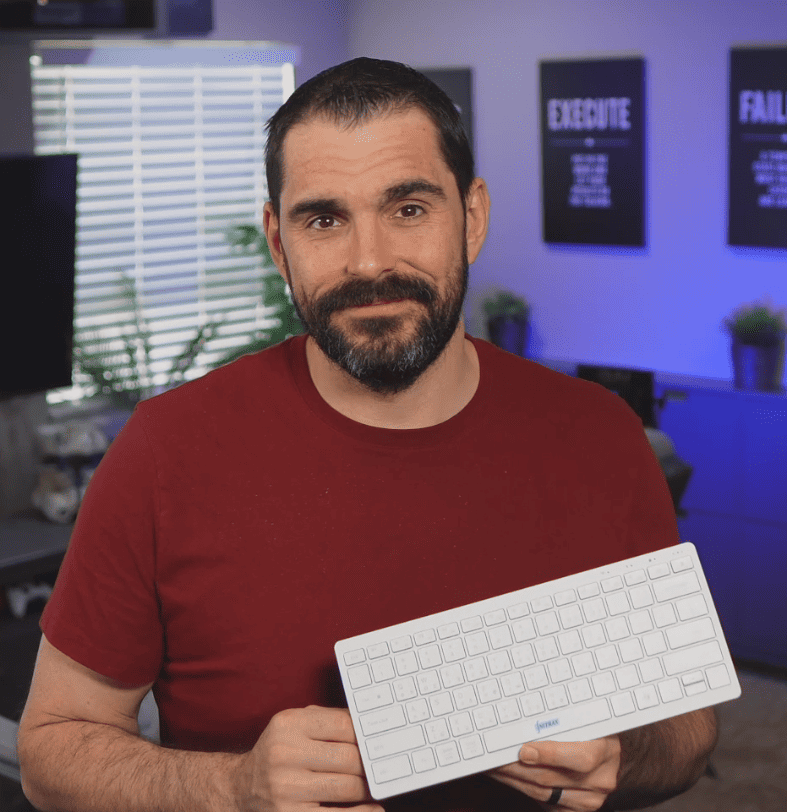
Nitrax Mathematical Keyboard is a compact physical math keyboard for students and teachers who write equations, Greek letters, and scientific symbols often. Instead of searching for a character, copying it, and returning to your document, the symbols are printed directly on the keys.
The goal is simple: keep writing in Word, Google Docs, slides, emails, and notes without breaking your flow every time you need a mathematical symbol.
When copy/paste is enough
Copying and pasting math symbols is reasonable when you only need a rare character once in a while. It is free, familiar, and does not require another device.
For occasional use, copy/paste may be all you need. A fair comparison should start there.
-
1
Good for rare symbolsIf you need one symbol in one document, searching for it may be acceptable.
-
2
No setupYou can copy a symbol from a website, previous file, or symbol list.
Where copy/paste breaks down
The friction appears when you write math repeatedly. Each search interrupts your sentence, your equation, and your attention.
For STEM students and teachers, those interruptions add up during notes, assignments, worksheets, slides, and explanations.
-
A
It pulls you away from the documentYou stop writing, search for the symbol, copy it, paste it, then return to the math.
-
B
It is hard to repeat quicklyCommon symbols like α, β, ∑, ∫, √, ≤, and ∞ become tedious when used often.
Copy/paste vs Nitrax Mathematical Keyboard
The difference is not only speed. It is the way you stay inside the writing flow. Nitrax Mathematical Keyboard makes common math symbols visible on a physical keyboard, so you can type them through simple key combinations instead of hunting for them.
| Writing task | Copy/paste workflow | Nitrax Mathematical Keyboard |
|---|---|---|
| Typing common symbols | Search, copy, paste, and return to the document. | Use the printed symbols on the keys through simple key combinations. |
| Taking math notes | Interrupts the pace of writing, especially during class or study. | Helps keep writing while symbols stay visible on the keyboard. |
| Preparing worksheets or slides | Repeated symbol insertion can become slow and inconsistent. | Useful for writing equations, Greek letters, and scientific symbols directly. |
| Learning curve | You need to remember where to find each symbol online or in a previous file. | The symbols are printed directly on the keys, so there is no separate symbol code list to memorize. |
Why printed symbols matter
A normal keyboard hides mathematical writing. You can type letters easily, but common math symbols often live in menus, online tables, or notation systems.
Nitrax Mathematical Keyboard changes that by putting math symbols on the physical keys. The blue and gray printed symbol layers make the keyboard easier to understand because the symbols are visible before you type them.
Greek letters
Scientific notation
Everyday writing apps
Who benefits most
This comparison matters most for people who write math often enough that copy/paste becomes a habit.
-
S
STEM studentsFor notes, assignments, reports, and study documents where symbols appear repeatedly.
-
T
Teachers and educatorsFor worksheets, slides, explanations, exams, and classroom material.
-
W
Everyday technical writingFor Word, Google Docs, PowerPoint, emails, notes, and other writing environments.
Which workflow should you use?
Use copy/paste if you only type math symbols occasionally. It is simple and enough for rare use.
Consider Nitrax Mathematical Keyboard if you write math regularly and want a physical math keyboard that keeps symbols visible, direct, and easier to repeat. It is designed for people who want to write equations without stopping to search for every symbol.
Related pages
FAQ
Is copy/paste a bad way to type math symbols?
Is Nitrax Mathematical Keyboard a physical keyboard?
Do I need to memorize symbol codes?
Where can I use the keyboard?
Who is this better for than copy/paste?