Obsidian Organizes Notes. Nitrax Makes Math Faster to Type.
Obsidian is not the problem. Math input inside Obsidian is the friction. Nitrax Mathematical Keyboard gives you a physical way to type common symbols instead of wrestling with syntax, plugins, and previews.
When math notes move quickly, the note-taking app should disappear into the background. If you are thinking about dollar signs, MathJax behavior, plugin settings, or whether the note will render somewhere else, the tool is taking attention away from the math.
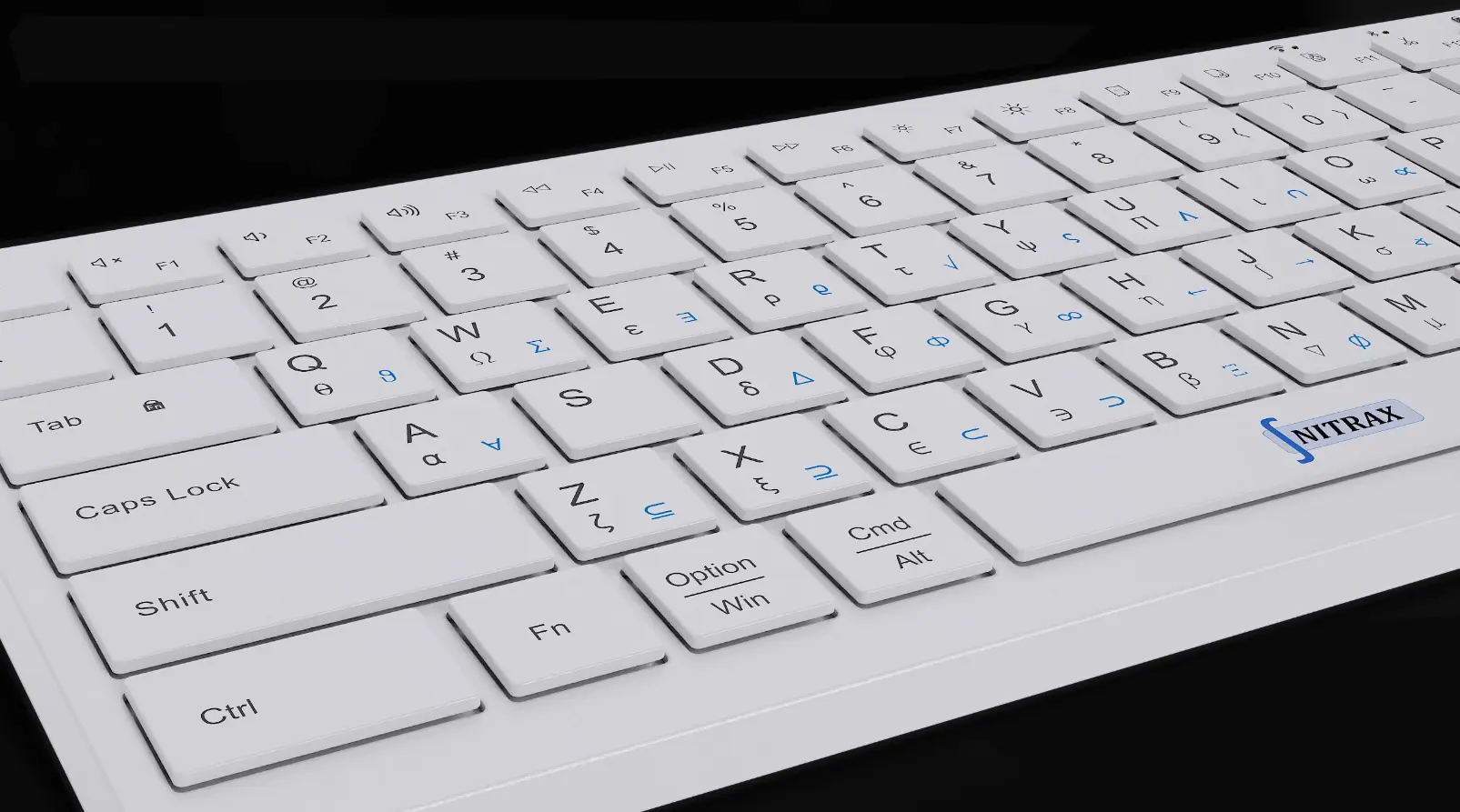
Nitrax Mathematical Keyboard helps by making common symbols visible on physical keys. Obsidian can still organize the notes; Nitrax makes entering the math less painful.
Obsidian is for organization, not effortless math input
Obsidian is strong as a note system: links, tags, backlinks, graphs, daily notes, and local markdown files.
But a strong knowledge base does not automatically make math symbols fast to type.
- N
Connected notesGreat for linking concepts, definitions, examples, and study material.
- L
Local markdownUseful for keeping notes as files that can be searched, synced, and versioned.
The problem: math input becomes a plugin stack
Math in Obsidian often means TeX-like syntax, MathJax, and community plugins. That is a lot of machinery for a student who just needs to type symbols while the lecture is moving.
Some users also run into differences between Obsidian rendering and other platforms, especially when notes are exported, synced, or viewed elsewhere.
- J
MathJax limitsMathJax is not the same as a full LaTeX system, and some commands or packages may need plugins.
- P
Plugin dependenceFaster math workflows often depend on community plugins, custom settings, and keeping those settings working.
- R
Rendering differencesA note can behave differently in Obsidian, GitHub, exported HTML, or another markdown viewer, which makes portability less clean than it first appears.
A fair comparison
The right question is not which tool is best for every situation. The useful question is what kind of math writing you are doing right now.
| Use case | Obsidian | Nitrax Mathematical Keyboard |
|---|---|---|
| Knowledge base | Excellent fit. | Not a note app. |
| Fast math note entry | Possible, but usually through syntax, plugins, or preview behavior. | Direct physical symbol entry cuts out some of that friction. |
| Complex rendered equations | Good when MathJax/plugin support is enough. | Not a renderer; focuses on symbol input. |
| Cross-app writing | Obsidian-centered workflow. | Works in everyday writing apps beyond one note system. |
| Best role | Organizing and connecting notes. | Typing symbols quickly inside notes and documents. |
Nitrax fixes the input layer Obsidian does not solve
This is not a replacement comparison. Obsidian manages the notes. Nitrax Mathematical Keyboard helps with the input layer.
If your notes include Greek letters, operators, relations, roots, and scientific symbols, a physical keyboard can make common symbols faster to enter before you worry about rendering.
Capture the math first. Perfect rendering can wait.
During class or study, the first goal is often to capture the idea. Perfect rendering can come later; missing the idea in the moment is harder to recover.
A direct physical math keyboard helps you keep typing while the thought is active, instead of stopping to remember syntax, plugin behavior, or delimiter rules.
Related pages
FAQ
Does Nitrax replace Obsidian?
Is Nitrax useful with Obsidian?
Does Nitrax fix MathJax limitations?