Markdown Math Depends on Renderers. Nitrax Gives You the Symbol Now.
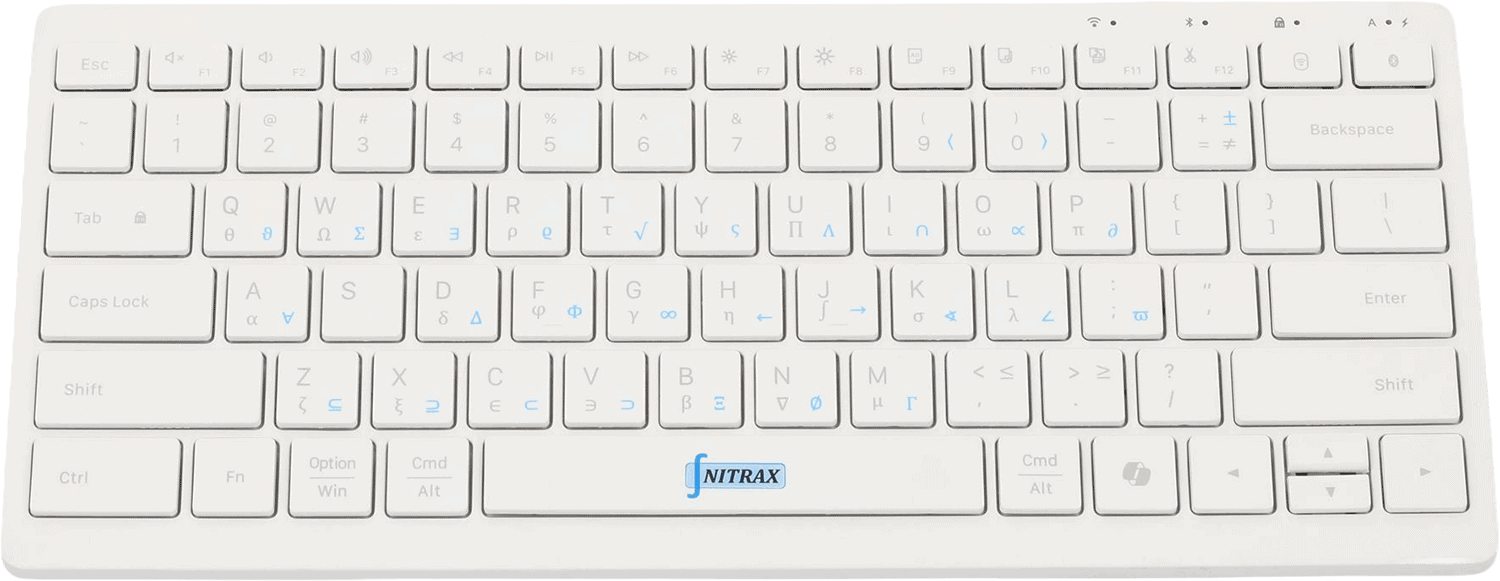
Markdown math is useful after the renderer works. Nitrax Mathematical Keyboard is useful before that: when you just need to type the symbol and keep writing.
The hidden problem with Markdown math is that the writing experience depends on syntax, delimiters, renderer settings, platform support, and preview behavior.
Nitrax Mathematical Keyboard avoids that layer for common symbols. You type real visible characters directly from a physical keyboard instead of stopping to think about whether MathJax, KaTeX, GitHub, Obsidian, or a static site will render the notation correctly.
Markdown math is a publishing layer
Markdown math is useful when you are publishing into a platform that supports your syntax correctly.
But that last condition matters: it works well when the platform is configured correctly.
- W
Web-friendly writingGood for docs, repos, notebooks, and static sites.
- R
Readable sourceUseful when you want plain-text files that can be versioned and published.
The problem: fragile rendering rules
Markdown math looks simple, but it is not one single workflow. GitHub, Obsidian, Jupyter, static sites, MathJax, and KaTeX can each have different rules.
Inline dollar signs, block delimiters, escaping, plugin settings, and unsupported commands can turn math writing into debugging the renderer instead of writing the idea.
- D
Delimiter frictionDollar signs and display math rules can behave differently across renderers.
- P
Platform differencesA note that renders in one app may not render the same way after publishing or syncing.
- S
Syntax-first writingYou still translate the math into notation and hope the target renderer agrees with you.
A fair comparison
The right question is not which tool is best for every situation. The useful question is what kind of math writing you are doing right now.
| Use case | Markdown Math | Nitrax Mathematical Keyboard |
|---|---|---|
| Web documentation | Strong fit when renderer support is configured. | Useful for inserting real symbols before or alongside markup. |
| Everyday notes | Can be fast until delimiter rules or renderer differences get in the way. | Type common symbols directly in the note. |
| Portability | Plain text is portable, but rendering can vary. | Unicode symbols remain visible as characters. |
| Debugging | Renderer settings can become the thing you are debugging instead of the math. | No renderer needed for common direct symbols. |
| Best role | Publishing math in Markdown environments. | Fast physical input for symbols during writing. |
Renderer dependency is the hidden tax
Markdown math feels simple until it moves between environments. A formula can render in a local editor, then fail in a GitHub preview, static site, or synced note.
That does not make Markdown math bad. It means Markdown math is a publishing workflow, and publishing workflows are not always the fastest way to enter symbols while thinking.
Direct symbols remove a whole layer of friction
For common symbols, a physical math keyboard can avoid some of the small syntax decisions: which delimiter, which command, which renderer, which extension.
Nitrax Mathematical Keyboard lets you type visible symbols directly in many everyday writing environments, while Markdown math remains useful when you need rendered equations.
Related pages
FAQ
Does Nitrax replace Markdown math?
When is Nitrax better than Markdown math?
Can I use Nitrax inside Markdown files?