Physical Math Keyboard vs Equation Editor: Which Workflow Should You Use?
An equation editor creates mathematical structure. A physical math keyboard speeds up symbol entry in everyday writing apps. The right choice depends on what you are writing, and the two workflows can work together.
If you write math often, the painful part is not only creating one nice-looking formula. It is repeatedly finding alpha, sigma, roots, relations, arrows, integrals, and scientific symbols while trying to keep your thought moving.
Nitrax now supports both workflows. Nitrax Equation Editor creates structured equations, while Nitrax Mathematical Keyboard provides a physical input layer for math symbols in supported writing apps. You can use either tool on its own or combine them.
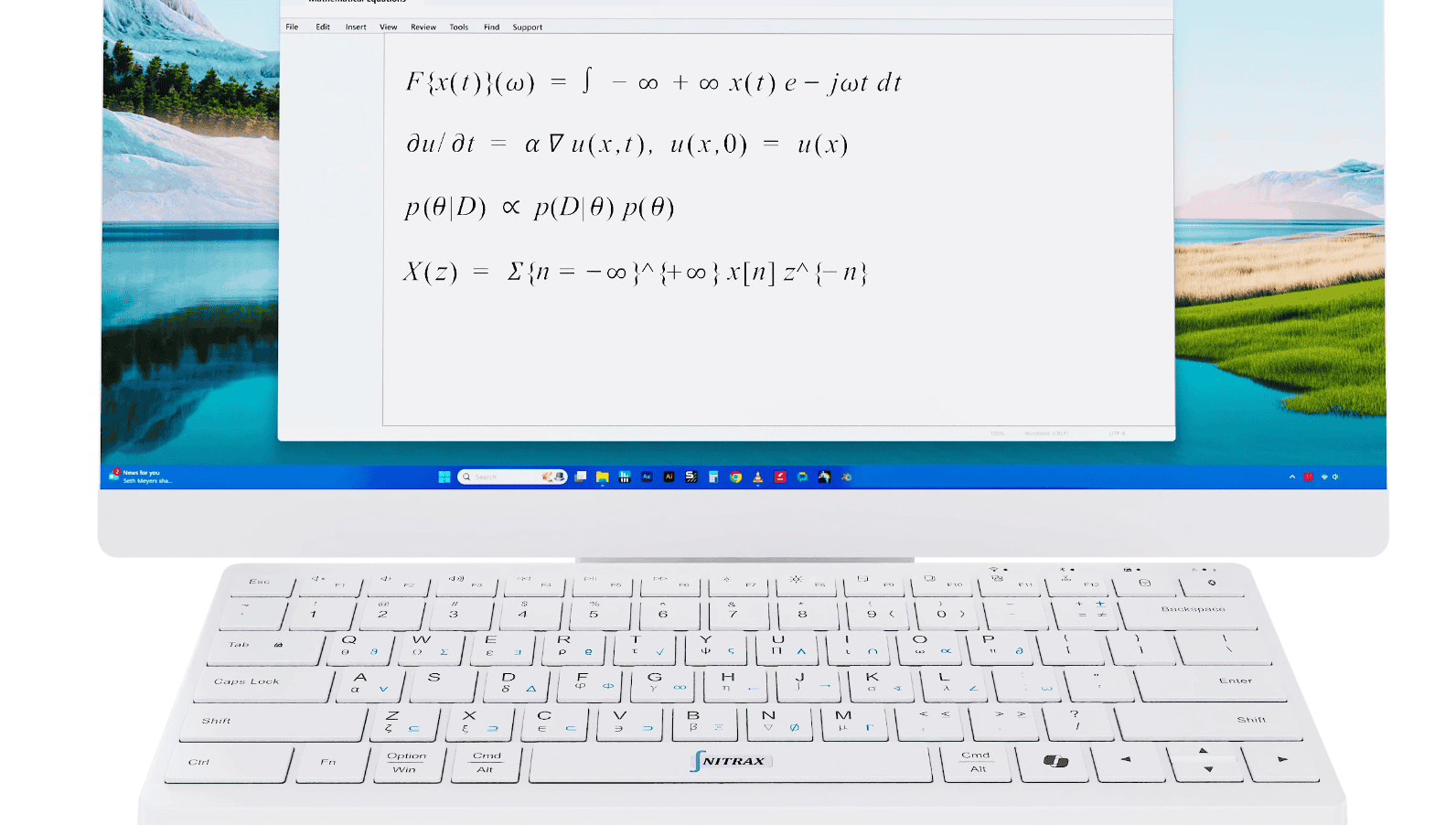
Equation editors create structure
Equation editors are good at creating shapes: fractions with numerator and denominator, integrals with limits, matrices, aligned expressions, or display equations.
If your goal is to create one polished equation block, an equation editor may be enough.
- E
Structured equation layoutUseful for fractions, numerator/denominator formats, integrals with limits, matrices, and display equations.
- A
Built into familiar appsWord and Google Docs include equation tools, so occasional users may not need another workflow.
Physical keyboards speed up symbol entry
For frequent math writing, the equation editor becomes a bottleneck. You are not just writing math anymore; you are managing a mini interface inside your document.
The better workflow is to stop treating the equation editor as the whole solution. Insert the format you need, then use Nitrax Mathematical Keyboard to complete the expression with Greek letters, operators, roots, relations, and scientific symbols.
- M
Less menu huntingUse the editor for the shape of the equation, then type common symbols from the physical keyboard.
- F
Flow interruptionEquation mode can make you think about the editor instead of the math sentence you are writing.
- A
Faster completionOnce the equation structure is in place, printed symbols help you fill it without repeatedly opening symbol menus.
A fair comparison
The right question is not which tool wins. It is which workflow fits the task. For many students and teachers, the practical answer is to use both: an equation editor for structure and a physical math keyboard for repeated symbol entry.
| Use case | Equation Editor | Nitrax Mathematical Keyboard |
|---|---|---|
| One polished equation | Good fit for structured formatting. | Not a layout engine; focuses on symbol input. |
| Frequent symbols in notes | Can require repeated toolbar selection after the equation box is open. | Type printed symbols directly once the equation structure is ready. |
| Writing in a paragraph | May pull the user into a special equation object. | Keeps common symbols closer to normal typing. |
| Across apps | Behavior depends on the app’s equation editor. | Designed for everyday writing apps that accept text input. |
| Best role | Creating the equation structure: fractions, integrals with limits, matrices, and displayed formulas. | Completing that structure quickly with visible printed symbols. |
One ecosystem, two complementary workflows
Nitrax Equation Editor helps you build and format an equation. Nitrax Mathematical Keyboard helps you enter mathematical, Greek, and scientific symbols in supported writing apps.
For example, create the fraction structure in the equation editor, then fill the numerator and denominator with symbols from the keyboard. Insert an integral with limits, then type the variables, Greek letters, relations, and operators directly.
A physical workflow for repeated symbols
The symbols are printed on the keyboard, so repeated use can become muscle memory. Instead of opening a toolbar to find alpha, sigma, square root, less-than-or-equal, or infinity, you learn where the printed symbols live.
This does not make equation editors obsolete. It removes the slowest part of using them often: hunting for the same symbols again and again.
Related pages
FAQ
Does Nitrax Mathematical Keyboard replace equation editors?
How do Nitrax and an equation editor work together?
Does Nitrax have its own equation editor?
Can I still use Word or Google Docs equation tools?