Need Math Symbols Faster Than Alt Codes? Use Nitrax.
If Alt codes are your current method, the next speed jump is not a different code list. It is a keyboard with the symbols printed on it.
Alt codes are a workaround. They were never designed to feel like fast, fluent math writing.
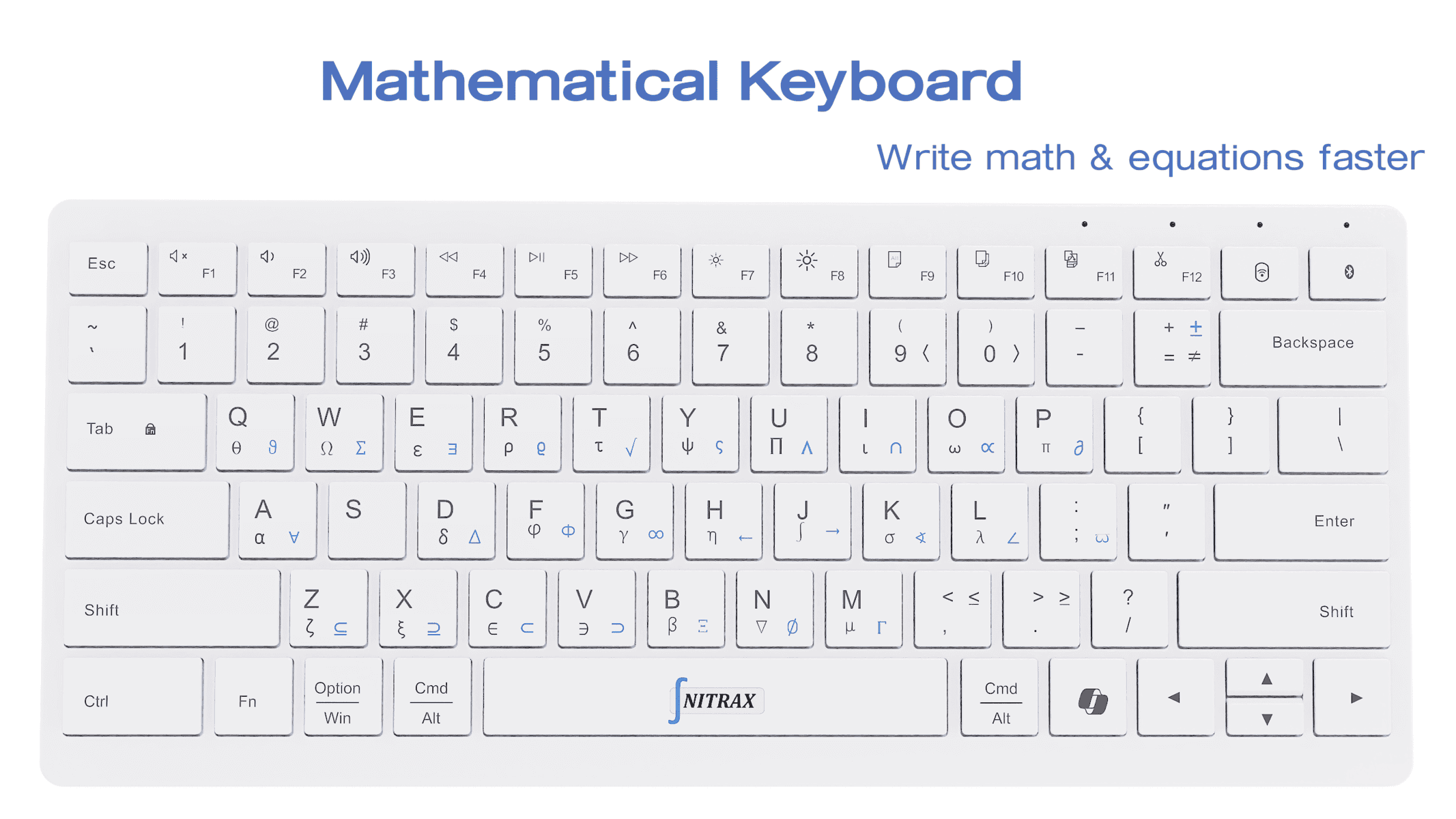
Nitrax Mathematical Keyboard is a physical math keyboard made for the opposite goal: keep the math moving and stop treating symbol entry like a lookup task.
Why Alt codes feel slow in real work
You have to know the code, use the right key set, and keep the sequence exact. That is not terrible for one symbol. It is annoying for twenty.
When you are writing homework, lecture notes, slides, or a technical explanation, the act of remembering the code can interrupt the thought itself.
- L
Lookup timeEvery code is a tiny interruption.
- S
Sequence pressureOne wrong key and the symbol does not appear.
- T
Typing flow lossThe task becomes code entry instead of math writing.
What Nitrax gives you instead
The symbols are printed on the keys, so your hands learn the layout rather than a hidden list of codes.
Over time, that becomes muscle memory. You stop thinking about the code and start thinking about the equation.
A fair comparison
| Use case | Faster Than Alt Codes for Math Symbols | Nitrax Mathematical Keyboard |
|---|---|---|
| Speed for repeated symbols | Weak. | Strong. |
| Learning curve | Code list memorization. | Printed layers and simple key combinations. |
| Flow during writing | Interrupted. | Kept intact. |
| Best role | Occasional fallback on Windows. | Primary method for frequent math input. |
FAQ
Is Nitrax faster than Alt codes?
Is this only about Windows?
FAQ
Why are Alt codes slow for math symbols?
How is Nitrax different from Alt codes?
Are Alt codes still useful?