Best Solution for Writing Equations: Choose for What You Write
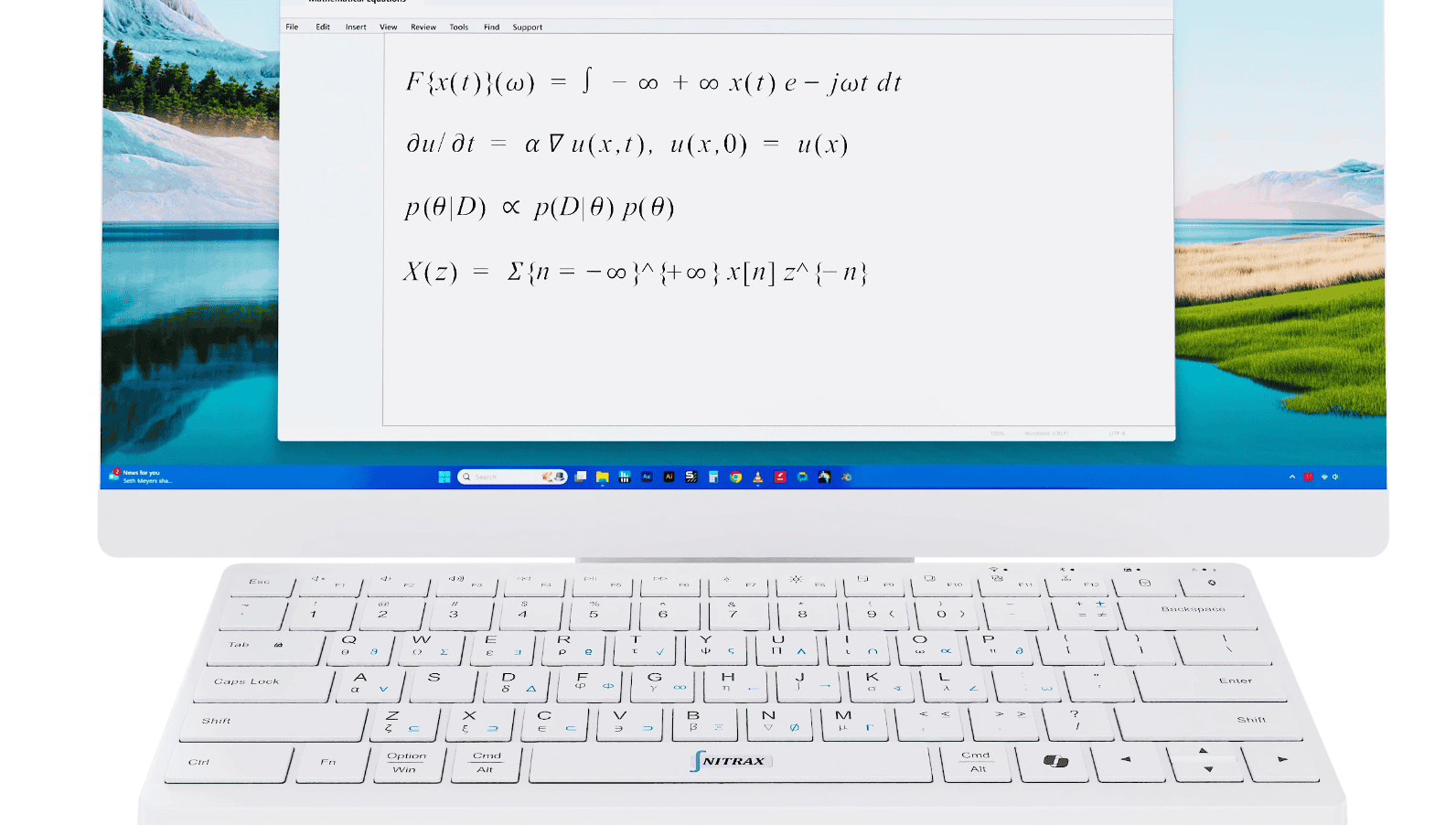
You are writing ‘Let α = 2, then y = αx + 1.’ Finding α should not interrupt the explanation. For frequent writing that mixes words and math symbols, we recommend Nitrax Mathematical Keyboard: a compact physical computer keyboard with letters and mathematical, Greek and scientific symbols printed on its keys.
The best solution for writing equations depends on the result you need. A sentence, a worksheet fraction and a page of aligned calculations call for different tools.
Start with the document you need to finish
| What you are writing | Recommended approach | Why it fits |
|---|---|---|
| Notes with α, π or ≤ between words | Nitrax Mathematical Keyboard | Type letters and printed symbols on the same physical keyboard. |
| An exercise with a stacked fraction | Your document’s equation editor | Place the numerator above the denominator. |
| A report with aligned, numbered equations | LaTeX with amsmath | Control alignment and equation numbering. |
Keep the explanation moving
Let α = 2.
Then y = αx + 1.
For x = 3, y = 7.
After setup, use key combinations to type symbols from the keyboard’s blue and gray printed layers. For this note, look for the gray α printed on A, then enter it where you are writing.
That makes the keyboard a practical choice for repeated symbol entry in notes, lesson explanations and feedback. Text input and symbol display depend on your app. The keyboard enters characters; you work out the result.
Build a fraction where you are preparing the exercise
For (x + 1)/2 = 3, a slash may suit a quick note. A worksheet may need the whole numerator above a fraction bar.
In desktop Word: choose Insert > Equation > Insert New Equation. Select a fraction structure and fill its numerator and denominator placeholders. Word supplies the layout. See Microsoft’s equation guide.
In Google Docs on a computer: choose Insert > Symbols > Equation, select symbols from the equation menus and add your variables. Inside the equation box, typing \alpha followed by a space inserts α. See Google’s equation guide.
Align the steps of a longer calculation
For a technical report, LaTeX lets you specify where successive equations line up. With the amsmath package loaded, this example aligns the equals signs:
\begin{align*}
2x + 3 &= 11 \\
2x &= 8 \\
x &= 4
\end{align*}The & marks the alignment point. align* leaves the lines unnumbered; align numbers them. See Overleaf’s alignment guide.
Nitrax Mathematical Keyboard supports a different part of your writing day: entering symbols in everyday text. It does not replace LaTeX or build complete equation layouts.
Put the symbols you keep using on your keys
If your notes and explanations regularly need α, π or ≤, choose Nitrax Mathematical Keyboard for letters and printed math symbols on one physical keyboard.
Buy nowPublished by the maker of Nitrax Mathematical Keyboard.