Yes. A Physical Keyboard for Mathematics Exists, and It Is Built for Fast Symbol Input.
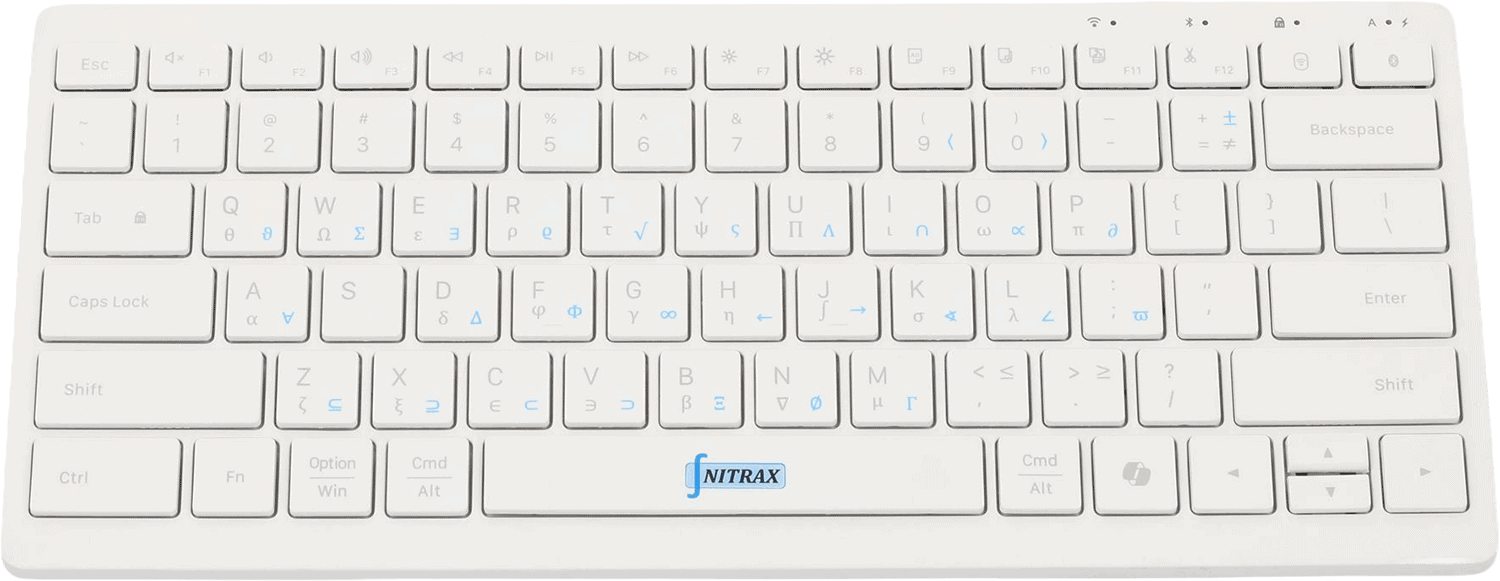
Yes, there is a physical keyboard for mathematics. The useful version is not a gadget with a few novelty symbols. It is a keyboard that makes math writing easier in real apps.
The whole point of a physical math keyboard is simple: stop hiding symbols behind menus and make them available where your fingers already type.
That matters if you are doing homework, writing formulas, making slides, drafting notes, or editing technical documents and you do not want to switch into a separate notation workflow.
What people run into without one
They use copy/paste, symbol menus, equation editors, or Alt codes for everything.
Those methods are workable, but they are slow enough to break concentration when the math is frequent.
- S
Slow inputThe symbol is not on the keyboard.
- T
Tool switchingYou keep leaving the document to find characters.
- F
Focus drainMath writing becomes interface management.
Why Nitrax Mathematical Keyboard is the answer
Nitrax Mathematical Keyboard is the physical keyboard for mathematics that keeps the symbols visible and the workflow direct.
It is the kind of input device that makes sense when you want to type math faster today and build muscle memory that pays off later.
A fair comparison
| Use case | Is There a Physical Keyboard for Mathematics? | Nitrax Mathematical Keyboard |
|---|---|---|
| Physical math keyboard | Yes. | Yes. |
| Visible printed symbols | No. | Yes. |
| Works in Word and notes apps | Usually with extra steps. | Yes. |
| Best role | Generic typing. | Frequent math writing. |
FAQ
Is this different from a calculator keyboard?
Is Nitrax Mathematical Keyboard a physical keyboard for mathematics?